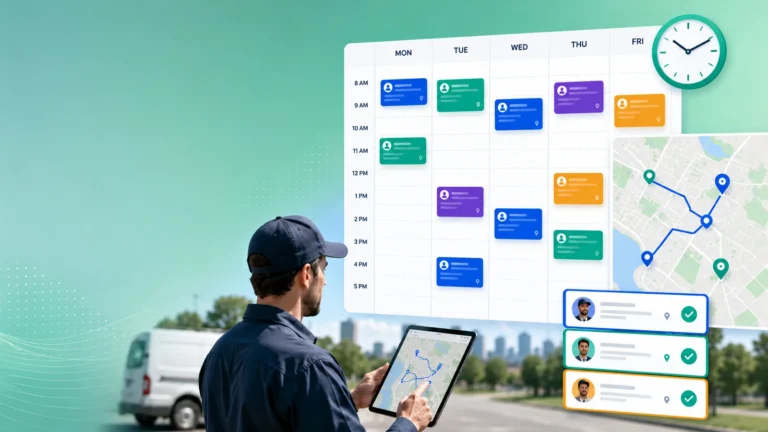
Field service scheduling software is changing faster than most buying processes. Microsoft Dynamics 365 Field Service now offers recurring, automated schedule optimization in preview. Dispatchers can let an AI agent rebalance whole teams’ schedules on a timer, not just one technician at a time.
For service leaders, AI in scheduling makes evaluation harder. Every demo now shows an optimizer moving bookings around a Gantt chart. The more useful question is whether that optimizer respects how your operation actually works. That means skills, territories, promised time windows, parts, and the jobs that must not move. Below are the criteria, demo questions and red flags to use when choosing field service scheduling software in 2026.
Key takeaways
- AI schedule optimization is now available in major FSM platforms such as Dynamics 365 Field Service, so buyers should focus on how it is controlled.
- Schedule changes are where most of the cost sits. In a Salesforce survey, technicians estimated that 47% of appointments do not go according to schedule.
- The most important test is rescheduling under disruption, not building a clean schedule from scratch.
- Look for clear constraints (skills, territories, time windows, locked bookings) and a review step before changes reach technicians and customers.
- Ask how AI features are billed, and whether optimization runs are charged separately from user licenses.
Why scheduling software is back on the shortlist
Scheduling has always been the core of field service management. What has changed is where the pressure sits. A Salesforce survey of 350 US tradespeople and technicians, published in April 2025, found that respondents believe 47% of appointments don’t go to plan. They named schedule changes and cancellations as their top efficiency barrier. They also estimated that changing an appointment takes about 14 minutes and cancelling one about 12 minutes. These are self-reported estimates, but they suggest that most of the daily scheduling effort goes into handling changes.
Vendors are responding with agents. Microsoft’s Scheduling Operations Agent, still in preview, is a useful reference point because its documentation is public. According to Microsoft, it can:
- fill same-day cancellations
- absorb overruns that cause cascading delays
- front-load urgent work
- assign backlogs of unscheduled work orders
- reorder bookings to reduce travel
Two modes stand out. Interactive runs let a dispatcher re-optimize up to five technicians and review the result before applying it. Batch optimization plans can run hourly, daily, weekly or monthly, with a minimum interval of 30 minutes. They can either wait for review or apply changes automatically.
Whatever platform you consider, this is the level of detail you should expect. Your vendor should be able to tell you exactly what the system optimizes, what it will never touch, and who approves the result.
The evaluation checklist: what to test
1. Constraints that match your real operation
Start with the rules your schedule has to follow. Check that the system can model:
- technician skills and certifications
- territories
- customer time windows and SLA deadlines
- multi-day and multi-technician jobs
- working hours and breaks
- parts availability
Ask which rules are hard constraints and which are preferences the engine can trade off. Accurate skill data matters as much as the engine itself, as we covered in our piece on technician skill data in field service planning.
2. Rescheduling and schedule stability
A clean morning plan is easy to demo. The real test is what happens at 11:00 when a job overruns and two urgent tickets arrive. Good systems repair the plan locally instead of reshuffling everyone. Look for “do not move” locks, limits on how many bookings can change, and visibility into which customers are affected. Constant re-optimization can hurt technicians and customers, a trade-off we explored in why schedule stability matters as much as schedule optimization.
3. Human control over AI suggestions
Dispatchers need to see and control what the AI changes. Check whether dispatchers can review a proposed schedule side by side with the current one, adjust the settings and rerun it, or reject it. Ask whether automatic application can be limited to certain teams, time ranges or job types. For guidance on when people should step in, see when dispatchers should override AI recommendations.
4. Travel time and location accuracy
Routing estimates drive both utilization and arrival promises. Ask whether travel times use historical traffic patterns, live traffic, or straight-line distance. Ask how the system handles technicians who start from home. Microsoft’s documentation, for example, notes that its predictive travel option uses historical patterns rather than real-time conditions. That is a reasonable design, but buyers should know which one they are getting.
5. Customer communication when plans change
Every schedule change creates a customer message, or should. Check whether new arrival windows flow automatically to SMS, email or portal notifications, and whether dispatchers can see which promises a change will break before applying it. Related reading: how field service teams keep customers updated when plans change.
6. Integration, mobile and total cost
Scheduling depends on clean data from ERP, CRM, asset and inventory systems. Confirm which integrations are standard and which need custom work. Check that the mobile app reflects schedule changes instantly and works with weak connectivity. Finally, ask how AI features are billed. If optimization runs are charged per use, costs can grow quickly when plans run every 30 minutes.
Comparison table: questions to ask in every demo
| Area | Ask the vendor | Red flag |
|---|---|---|
| Constraints | Which rules are hard limits, and which can the optimizer trade off? | Skills or time windows treated only as “preferences” |
| Disruption | Show a mid-day overrun plus two urgent jobs, live. | Demo only shows building a plan from an empty board |
| Control | Can dispatchers review, lock and reject changes? | Auto-apply with no audit trail |
| Travel | What travel-time model is used? | Straight-line distance presented as “route optimization” |
| Customers | Do changed windows trigger notifications automatically? | Manual calls needed after every reschedule |
| Cost | How are AI agent runs licensed and metered? | No clear answer on usage-based charges |
How to run a fair scheduling pilot
A pilot only makes sense once you have a shortlist. If you are not there yet, our overview of the best field service management software and our roundup of top scheduling software for field service cover the main options. Our guide to mistakes to avoid when choosing FSM software covers the wider selection process.
Vendor demos use tidy sample data. A pilot should use yours. Export two or three real days that went badly: a storm, a sick-day wave, or a parts delay. Ask each shortlisted vendor to replay them. Measure:
- jobs completed within the promised window
- total travel time
- number of bookings moved
- how many customers would have needed a new arrival time
Ask two or three experienced dispatchers to help score the results. They know your territories, customers and technicians, so they will spot an unrealistic plan before any metric does.
Practical takeaways for service leaders
- Write down your hard constraints (skills, territories, SLAs, locked jobs) before you see any demo.
- Judge vendors on how they reschedule when the day goes wrong.
- Require a review step and an audit trail for any automatically applied schedule change.
- Limit how often and how widely the optimizer can reshuffle work, to protect schedule stability.
- Replay your own worst days in a pilot and let dispatchers score the results.
- Get written answers on how AI features are licensed and metered before signing.
Frequently Asked Questions
What is field service scheduling software?
It assigns work orders to technicians based on skills, location, availability and deadlines. Modern tools also re-optimize schedules during the day when jobs overrun or urgent work arrives.
What is an AI scheduling agent in field service?
It is an AI feature that proposes or applies schedule changes for dispatchers, often from a natural-language request or on a recurring timer. Microsoft’s Scheduling Operations Agent for Dynamics 365 Field Service is one example currently in preview.
Should schedule optimization run automatically?
It can, but most teams should start with a review-before-apply setup. Automatic application works best for clearly defined scopes, with locked bookings and limits on how many changes reach customers.
What is the most important feature to test in a demo?
Rescheduling under disruption. Ask the vendor to handle a live mid-day overrun and new urgent jobs, then check how many bookings and customer promises change as a result.
How do I compare scheduling software costs?
Compare user licenses, implementation and integration effort, and any usage-based charges for AI or optimization runs. Usage-based charges can grow quickly if optimization runs frequently.
Conclusion
Microsoft’s recurring optimization preview shows how quickly AI is moving into everyday scheduling. For buyers, that shifts the evaluation toward control, constraints and how the system handles disruption. The best test is still your own data: replay a difficult day and see which system keeps the most promises to technicians and customers.