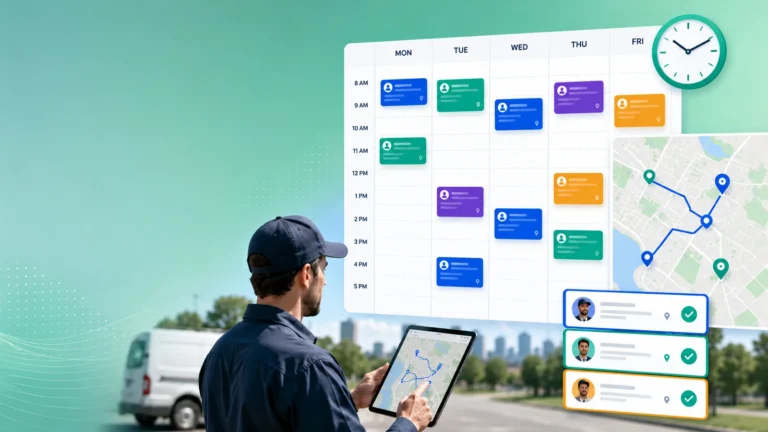
Field service teams keep customers updated when plans change by communicating the change early, explaining what it means for the appointment, and giving the customer a clear next step. A useful update should answer three basic questions: what changed, when should the customer now expect service, and does the customer need to do anything?
That sounds simple, but it becomes difficult during a busy service day. Jobs run longer than expected, emergency calls take priority, traffic slows technicians down, parts fail to arrive, and customers themselves request changes.
The strongest service teams do not try to pretend the schedule never moves. They build customer communication into the same workflow that manages those changes.
Tell the Customer What Has Actually Changed
A message saying “your appointment has been delayed” creates almost as many questions as it answers. The customer still does not know whether the technician is 15 minutes late, arriving this afternoon, or no longer coming that day.
Updates need to be specific enough to help the customer make a decision. If the original window was 10:00 a.m. to noon and the technician is now expected between 12:30 p.m. and 1:30 p.m., that is the information the customer needs.
The reason can be brief. “The previous repair is taking longer than expected” is often more useful than a vague apology with no explanation.
The next step matters just as much. Tell the customer whether the technician is still assigned, whether a new appointment needs to be selected, or whether the service team will send another update once timing becomes clearer.
This is why live ETA updates are valuable. They reduce the period in which customers are left wondering whether the original appointment is still valid.
Not every update needs a detailed explanation. Customers mainly want enough information to plan around the change.
Update Customers as Soon as the System Knows
Timing makes a major difference to how a schedule change feels. A two-hour delay communicated early is usually easier to manage than a 20-minute delay revealed after the original appointment window has already passed.
Service teams should therefore connect customer updates to real operational events. If a technician’s previous job is running long enough to affect the next appointment, the customer should not have to wait until they call the service desk to find out.
The same applies when a job is reassigned. A customer may need to know that a different technician is coming, especially when technician identification or site access is important.
Automated communication can handle many routine changes. Appointment confirmations, revised windows, technician ETAs, rescheduling links, and job-status notifications do not all need a dispatcher to manually send a message.
Fieldcode’s customer portal for field service organizations, for example, supports real-time ticket updates, technician tracking, and appointment changes through customer-facing workflows. Used well, this kind of visibility reduces the need for customers to call simply to ask what is happening.
Automation should still reflect the real schedule. Sending an automatic message quickly is not useful if the underlying ETA is unrealistic.
A Changed Appointment Shows What Good Communication Looks Like
Imagine a company maintaining commercial coffee machines for restaurants and hotels. A café has a technician booked between 1:00 p.m. and 3:00 p.m. to repair a machine that is still working but producing inconsistent pressure.
At 11:45 a.m., the technician’s current job develops into a larger repair than expected. Dispatch can already see that the technician will not reach the café within the original window.
A weak process does nothing. The café manager waits until 2:30 p.m., then calls customer service to ask whether anyone is coming.
Customer service contacts dispatch, dispatch checks with the technician, and somebody eventually tells the café that arrival is now likely after 4:00 p.m. The actual delay is frustrating, but the lack of information makes it worse.
A better process recognizes the risk before the original appointment window begins. The customer receives a message explaining that the technician has been delayed on the previous repair and is now expected between 3:30 p.m. and 4:30 p.m.
The message also gives the café the option to keep the revised appointment or choose another available slot. If they keep it, a more precise ETA can follow once the technician starts travelling.
Now the customer can make a decision. The manager can adjust staffing, decide whether to continue operating the machine, and know when someone needs to be available for the technician.
The service team has not removed the delay. It has prevented the delay from becoming an information problem as well.
Different Changes Need Different Messages
Not every schedule change should trigger the same template. A technician running 15 minutes late is different from a visit being cancelled because a required part has not arrived.
When an ETA moves slightly, the customer may only need the revised arrival time. When the appointment has to move to another day, the message should explain that the original visit can no longer take place and give clear rescheduling options.
A parts delay needs different information again. The customer should know that the visit is being changed because the repair cannot be completed without the required component, along with the expected next step.
Emergency reprioritization also needs care. Telling a customer that their appointment has been moved because “another customer is more important” is unlikely to help.
A better explanation is that an emergency service requirement has affected the schedule, followed immediately by the revised appointment options.
Strong field service workflow automation can help make these communications consistent because the message can be linked to the event that caused the change.
That reduces the chance of one system showing “delayed” while another sends the customer a message saying the technician is still on time.
Customer Updates Should Reflect Operational Reality
Good communication cannot rescue a schedule that is constantly unrealistic. If technicians repeatedly miss their windows, sending more notifications only makes the underlying problem more visible.
Service leaders should therefore look at the reasons behind frequent customer updates. Are jobs taking longer than planned? Are routes too tight? Are technicians being given too many appointments? Are parts shortages causing last-minute cancellations?
Better smart scheduling reduces the number of unnecessary changes by building plans around realistic job duration, travel, skills, and customer commitments.
Teams should also track how often customers call for status updates. A high volume of “Where is my technician?” calls often means the information provided automatically is not clear, timely, or trusted.
Communication matters after the technician arrives too. If a repair cannot be completed, the customer should leave the interaction knowing what was found and what happens next.
For example, “part required” is an internal status. The customer needs to know which part is being ordered, whether the equipment can be used safely, and when they can expect another update or appointment.
Poor communication can make field service resolution times feel even longer because the customer has no visibility while the job remains open.
Field service schedules will always change. The aim is not to eliminate every delay, reassignment, or rescheduled appointment.
The aim is to make sure the customer is never left trying to work out what the change means.
When updates are early, specific, and connected to a clear next step, customers can adjust their own plans with much less frustration. That makes schedule changes easier to manage for the customer, the dispatcher, and the wider service team.