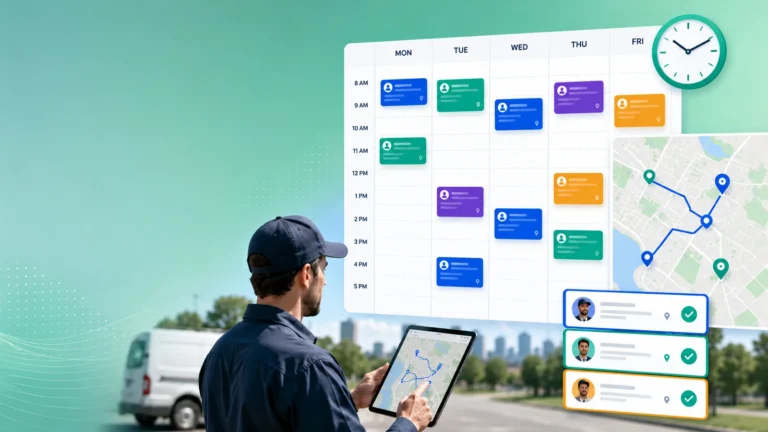
Field service teams spend a surprising amount of time moving work from one stage to another.
A service request arrives. Someone checks the information, assigns a priority, looks for an available technician, confirms an appointment, updates the customer, and monitors the job until completion. Each action may seem small, but the combined administrative burden can slow the entire operation.
Zero-Touch service is an approach designed to reduce that burden.
It allows predictable service tasks to progress automatically when the required information, business rules, and conditions are already available. Instead of asking employees to manually advance every ticket, the workflow handles routine decisions while people concentrate on exceptions and situations that require judgment.
What Zero-Touch means
Zero-Touch does not mean operating a field service business without dispatchers, coordinators, customer service representatives, or technicians. It also does not mean handing every decision to an algorithm.
Field operations contain too much variation for that.
A customer may report an unusual safety concern. A technician may discover that the asset condition is different from the original description. A contractual issue may require approval before additional work begins. Those situations still need human experience and accountability.
The goal is not to eliminate human involvement. It is to stop using skilled employees for repetitive actions that can be completed reliably by the workflow.
A Zero-Touch workflow begins with structured information
Automation depends on the quality of the information entering the system.
If a ticket contains an unclear problem description, an incomplete address, or no asset record, the workflow cannot make dependable decisions. Someone will still need to investigate, correct, and complete the request before it can move forward.
A stronger intake process captures the information required for the next step.
That may include:
- Customer and site details
- Asset type and service history
- Reported symptoms
- Contract and service-level requirements
- Required technician skills
- Site access instructions
- Photos or supporting documents
- Preferred appointment times
Zero-Touch service cannot compensate for poor data. It can only act consistently on the information it receives.
Business rules turn data into action
Structured information alone does not create an automated workflow.
The service organization also needs clear rules for how different situations should be handled. These rules reflect operational knowledge that may previously have existed only in the minds of experienced coordinators.
For example, a workflow may determine that:
- Safety-related tickets receive immediate escalation
- A specific asset type requires a certified technician
- Premium customers receive a shorter response window
- Certain issues should be assessed remotely first
- Parts availability must be confirmed before scheduling
- A missed appointment automatically triggers rescheduling
- Jobs approaching an SLA deadline receive priority
These rules allow the system to complete routine actions consistently.
They also make automation easier to review because managers can understand why a ticket followed a particular path instead of relying on an unexplained decision.
Scheduling is only one part of Zero-Touch service
Automated scheduling is often the most visible element of the concept.
A scheduling system can evaluate technician skills, location, availability, working hours, job duration, and service priorities before proposing or confirming an assignment. It can also recalculate plans when delays, cancellations, or urgent jobs affect the day.
However, Zero-Touch service is broader than scheduling.
It can cover the service journey from ticket creation through job completion, including validation, assignment, customer communication, escalation, technician guidance, and reporting.
The distinction matters because optimizing one schedule does not remove the manual work surrounding it. A service organization may still depend on employees to create tickets, send updates, validate completion records, or transfer information between systems.
True workflow automation considers how the entire job progresses.
Fieldcode’s approach provides a practical example
Fieldcode uses the term Zero-Touch to describe an automation framework that can create, assign, and route jobs without requiring manual dispatcher input for every routine decision. Its scheduling logic uses factors such as technician skills, service-level agreements, and location data to optimize field assignments.
The company also describes the framework as extending beyond a single scheduling feature. Fieldcode positions Zero-Touch automation as a way to move service workflows from ticket creation through customer updates with reduced back-office intervention.
Fieldcode is not simply using Zero-Touch as another term for AI. Its own explanation distinguishes the broader automation framework from individual AI capabilities. AI may assist with diagnostics, communication, or optimization, but configured workflows and operational rules still determine how routine service steps are executed.
Automation should focus on predictable work
Not every field service process is ready for Zero-Touch execution.
The strongest candidates are usually high-volume activities that happen frequently, follow stable rules, and do not require subjective judgment every time.
Examples include:
- Importing validated service requests
- Categorizing standard ticket types
- Sending appointment confirmations
- Assigning routine work based on skills and location
- Updating customers when job status changes
- Triggering escalation when SLA limits are approaching
- Requesting missing completion information
- Creating follow-up work after a defined outcome
The guidance in Which FSM Workflows Should You Automate First? is especially relevant here because reliable automation starts with stable processes.
Automating a confusing workflow does not solve the confusion. It simply allows the problem to move faster and affect more jobs.
Exception management is central to the model
A successful Zero-Touch operation does not pretend that exceptions will disappear.
It identifies them early and directs them to the right person.
Suppose a routine maintenance ticket contains complete information and fits an established scheduling rule. The workflow may be able to assign and confirm it automatically. If the same ticket includes a safety warning or an unavailable part, it should be removed from the normal path and presented for review.
This is where exception management becomes more important than total automation.
The system should clearly explain:
- What prevented the workflow from continuing
- Which decision requires human review
- How urgently the issue needs attention
- What information is already available
- What action will allow the ticket to continue
This gives dispatchers a more focused workload. Instead of manually reviewing every ticket, they spend their time resolving the cases where their judgment has the greatest value.
Customer communication can progress automatically
Customers often contact service teams because they do not know what is happening.
They want to confirm that the request was received, whether an appointment has been scheduled, when the technician will arrive, and whether the job has been completed.
Many of these updates are connected to predictable service events.
When a ticket reaches a defined stage, the workflow can send the appropriate email, text message, portal notification, or app update. Fieldcode, for example, states that its customer service functionality can automatically send relevant updates through email, SMS, or a mobile app.
This does not replace personal communication when a customer has a complex concern.
It prevents customers from waiting for information that the system already has.
Technicians should receive a clearer day, not more automation
Zero-Touch service must also improve the field experience.
There is little value in reducing office administration if technicians receive unrealistic schedules, incomplete job details, or excessive mobile forms. The workflow should make work easier to understand and complete.
A technician should receive the relevant customer information, asset history, required skills, access instructions, and job steps before arriving. Status updates should be straightforward, and completion requirements should match the actual work performed.
The role of software in supporting field employees is discussed in Why Technician Experience Matters in Modern FSM, since workflow efficiency depends on whether technicians can use the process effectively during a real service day.
Automation should remove friction from the technician’s work rather than transfer administrative pressure from the office to the field.
Integration determines how far automation can go
Field service workflows rarely exist inside one system.
Customer records may come from a CRM. Work orders may originate in an ERP or asset platform. Parts information may come from inventory software, while invoicing is handled through a financial system.
If these systems do not exchange information, employees still need to copy and verify data manually.
Zero-Touch execution therefore depends on integrations that allow relevant information to move between platforms. Fieldcode’s documented integrations, for example, support the transfer of work orders from systems such as Microsoft Dynamics 365 and HubSpot into automated scheduling and routing processes.
The important lesson is broader than any one platform.
Automation can only continue until it reaches a disconnected handoff. Each repeated transfer between systems should be examined to determine whether integration could remove unnecessary data entry.
Human oversight remains necessary
Automation must be monitored even when it works well.
Service leaders should review whether the rules are producing the intended outcomes and whether changes in customer contracts, technician skills, territories, or service priorities require workflow updates.
Useful measures include:
- Percentage of tickets progressing without manual intervention
- Number and type of workflow exceptions
- Frequency of manual assignment overrides
- SLA performance
- Appointment changes after automatic scheduling
- Customer communication failures
- Repeat visits linked to incorrect job information
- Time spent resolving exceptions
A high automation rate is not automatically a sign of success.
The workflow is successful when it reduces administrative effort without weakening customer service, technician performance, compliance, or operational control.
Zero-Touch maturity develops gradually
Most organizations will not move from manual coordination to full workflow automation in one project.
A more realistic approach is to begin with one stable, high-volume process. The business can define the required data, document the rules, automate selected steps, and monitor the exceptions before expanding further.
For example, a team might first automate appointment confirmations and standard status updates. It could then add routine ticket validation, skill-based assignment, and SLA escalation once the underlying data is dependable.
This gradual approach allows the organization to learn where automation works well and where human review remains necessary.
Zero-Touch service is not a switch that is turned on. It is an operating model that becomes stronger as workflows, data, integrations, and governance improve.
Conclusion
Zero-Touch service means allowing predictable field service work to progress with less routine human intervention.
It combines structured information, defined business rules, automated dispatch, system integrations, customer communication, and focused exception management. People remain responsible for unusual cases, sensitive decisions, and situations where experience matters.
Fieldcode provides a practical example through its Zero-Touch automation framework, which applies scheduling and workflow rules across multiple stages of service execution rather than treating automation as a single feature.
The real objective is not to remove people from field operations.
It is to create a service environment where software handles predictable coordination and employees have more time to solve the problems that genuinely require them.