In field service, rising call volume is usually a symptom, not the core problem. Customers call when they can’t take the next step on their own: booking a visit, changing an appointment, checking whether a technician is on the way, confirming what to prepare, or chasing an update after a delay. When those actions are only possible through a human agent, the phone becomes the default interface for routine coordination.
A self-service portal reduces inbound calls when it removes uncertainty and eliminates repeatable “status and scheduling” conversations. The portal doesn’t need to replace your support team. It needs to intercept the calls that are predictable, repetitive, and operationally expensive.
If you want a useful benchmark for what “self-service” should enable, Gartner describes customer self-service as allowing customers to carry out tasks like ordering, scheduling, tracking, or troubleshooting without agent involvement. In field service, that maps directly to the calls that overwhelm dispatch and contact centers.
Start with call reasons, not features
Most portal projects fail because teams build a portal and hope call volume drops. A better approach is to map your inbound calls into a short list of contact reasons, then design portal capabilities specifically to remove those reasons.
In many service organizations, the highest-volume call drivers look like this:
- Appointment booking, rescheduling, and cancellations
- “Where is my technician?” and ETA requests
- Service status updates after parts delays or re-planning
- “What do I need to do before the visit?” questions (access, parking, safety)
- Follow-ups caused by missing information (photos, serial numbers, fault details)
When a portal addresses these, it can reduce inbound calls and also improve visit success rates. If it only displays a ticket number and a vague status, it may reduce nothing.
The portal capabilities that actually reduce calls
A portal that reduces call volume consistently tends to include four categories: self-scheduling, proactive status visibility, readiness capture, and structured service intake.
1) Self-scheduling that removes back-and-forth
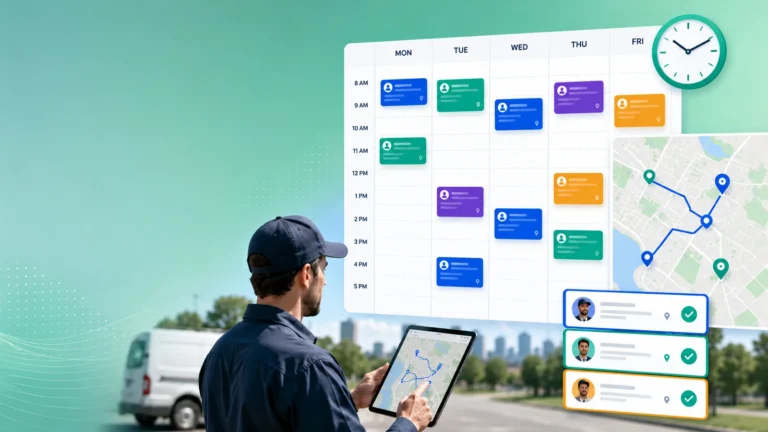
Self-scheduling is one of the clearest call-volume levers because it eliminates the “phone tag” loop. Customers want simple control: choose a time, confirm the visit, change it if needed. When they can do that online, many calls never happen.
What matters is not just “a calendar.” It’s whether scheduling is connected to real capacity and rules (skills, territories, SLA windows). If the portal offers times that dispatch later overrides, customers will still call and trust erodes.
For example, Fieldcode positions its customer portal around customer-driven appointment actions, including booking and rescheduling, with the explicit aim of reducing admin work and missed visits. That framing aligns with what works operationally: fewer manual touches equals fewer calls.
For a deeper look at how portals change scheduling behavior in the FSM context, see 5 Benefits of Self-Service Portals in Modern Field Service Management.
2) Real-time status visibility that reduces uncertainty calls
A large share of inbound calls are not complaints. They’re uncertainty checks.
Customers call because they don’t know if the appointment is still on, whether the technician is running late, or whether the issue is progressing. Status visibility reduces these calls when it is:
- Specific (confirmed, en route, on site, waiting on parts, rescheduled)
- Timely (updated when the plan changes, not hours later)
- Actionable (lets the customer confirm access, reschedule, or provide info)
When portals provide a clear “next action,” they prevent the cycle where customers call simply to understand what is happening. This matters especially when delays are caused by parts or re-optimized routing, because those events create call spikes.
3) Readiness capture that reduces failed visits and follow-up calls
Portals reduce call volume indirectly when they reduce failed visits. A failed visit leads to follow-up calls, rescheduling calls, escalation calls, and often management involvement.
Readiness features that reduce that chain include:
- Confirming the onsite contact and access arrangements
- Collecting parking instructions, site restrictions, and safety requirements
- Allowing customers to upload photos of the asset and fault
- Confirming that the asset is powered, accessible, and safe to service
- Providing a checklist of what the customer should prepare
These features reduce “surprise friction” at the door. Less friction means fewer delays, fewer incomplete jobs, and fewer calls.
4) Structured intake that improves first-time assignment quality
Portals can also reduce calls by improving the first capture of fault information. If customers can submit structured details, you reduce follow-up calls from agents trying to gather missing information.
The best intake forms don’t ask customers to diagnose. They ask observable questions:
- What changed and when?
- What error code shows, if any?
- What has already been tried?
- What does the symptom look or sound like?
- What is the asset identifier and location?
This improves triage and reduces repeat contact. It also improves routing quality because dispatch is no longer guessing based on vague ticket text.
Where voice AI fits (and where it does not)
Even the best portal will not eliminate calls. Some customers will always prefer voice. Others will call outside business hours. And some issues are too complex for portal flows.
This is where voice AI can complement self-service by handling the high-volume, repeatable calls that are essentially “portal tasks done by phone.”
For example, Fieldcode’s voice AI agent integration acts as 24/7 voice support that can handle calls, schedule appointments, and update tickets, while still allowing handoff to a live agent when needed. Operationally, that combination is important: automation can reduce workload, but escalation paths protect customer experience on complex cases.
A practical way to think about channel design is this:
- Portal for customers who prefer digital and for tasks with clear steps
- Voice AI agents for customers who prefer phone, after-hours calls, and routine changes
- Humans for exceptions, escalations, complex diagnosis, and relationship repair
For a service-ops lens on why the “first minutes” matter, see Voice AI Agents and the First 5 Minutes of a Service Case, which explains why early intake quality and fast coordination often determine whether a case becomes efficient or chaotic.
How to prove the portal is reducing calls (without guessing)
Call volume can fall for reasons unrelated to your portal (seasonality, fewer incidents, reduced install base). To show real impact, track a small set of metrics that connect behavior to outcomes.
Measure call deflection by contact reason
Instead of tracking only total calls, track call volume by reason:
- scheduling/rescheduling
- ETA/status
- “what do I need to prepare?”
- “can you update my ticket?”
Then measure portal usage for the same tasks. The goal is not simply “more portal logins.” The goal is fewer calls in the contact reasons the portal is designed to eliminate.
Track repeat contact and missed appointments
If your portal is working, you should see improvements in:
- repeat contact rate (customers calling again within a short window)
- missed appointment rate
- reschedule rate caused by missing info or access issues
A portal that “deflects calls” but increases missed appointments is not reducing work, it’s shifting it downstream.
Validate dispatch workload changes
A major business case for portals is reduced dispatcher and agent time. Track:
- time spent on scheduling admin
- number of manual schedule edits
- number of outbound calls made to confirm access or collect missing info
When these go down alongside inbound calls, the efficiency gain is real.
Avoid the most common portal mistakes
Portals reduce calls only when they are trusted and easy. A few failure patterns show up repeatedly:
- Not mobile-friendly: many customers will use a phone, not a desktop.
- Too many steps: if rescheduling takes five screens, customers call instead.
- Out-of-sync data: if portal status conflicts with what agents see, customers call.
- No proactive notifications: customers won’t keep checking a portal for updates.
- No human escape hatch: escalations must be easy, not buried.
The portal should feel like a faster route to a result. If it feels like a barrier, it creates calls instead of removing them.
A practical design standard for “call-reducing” portals
A portal reduces inbound calls when it consistently answers three customer questions without requiring human intervention:
- Can I take the next step now? (book, change, confirm, share info)
- What is happening and what’s next? (accurate status, ETA, parts delays)
- What do you need from me to make this visit successful? (access, readiness, photos)
If those questions are answered clearly, call volume decreases because customers no longer need to “translate” uncertainty into a phone conversation. When combined with voice AI for phone-first customers, the service organization can reduce avoidable calls while preserving a high-quality experience for the cases that truly need humans.